
SIGCSE, Curriculum 2013 – the Strawman Cometh
Posted: March 2, 2012 Filed under: Education | Tags: curriculum, design, education, higher education, reflection, sigcse, teaching 4 CommentsIt may come as a surprise to some, but the curriculum for Computer Science is regularly revised and, in recent times, we have see a new curriculum in 2001 and 2008. You can find all of this information at the CS2013 website. The 2013 revision has recently been published for the first time as a Strawman – something that you can attack and, traditionally, how we expose new things in CS to wider comment. Once everyone has hacked away at the Strawman, we examine the cuts and the weak points, patch it up, produce a new draft (the Ironman) and see how this stronger version fares against the slings and arrows of our peers.
This year, I had the chance to sit in on the steering committee panel from the ACM and IEEE-CS who had started the ball rolling. In order to produce a curriculum that is deemed (informally) to be a CS degree that meets the standards of the professional bodies, you have to have Core elements and a selection of Elective elements. Well, that was until now. Today’s big reveal, which was already known to anybody who read the earlier document released in February, was that Core was now Core Tier 1 and Core Tier 2. Instead of having 290 hours of ‘essential’ core material, we now had 163 hours of Tier 1 and up to 142 hours of Tier 2. On top of this, there’s a heap of ‘optional’ Elective elements.
So what makes up a CS degree? Well, if you use all of Tier 1 and at least 80% of Tier 2 and then fill in the cracks with Electives – that’s meeting the curriculum requirements and you have a CS degree. You’ll note however that the number of hours required for all of core has crept up by 15 hours since 2008 – this reflects the addition of new hours to reflect areas being introduced such as Information Assurance and Security, and Parallel and Distributed Computing. The curriculum does change over time but things tend to move rather than disappear. Adding things, however, requires more hours and this is always a problem – what do we take out? (A humorous suggestion was made that we ignore all other courses and ONLY teach CS. Not going to happen anytime soon.)
The depth of knowledge that is required is now described in a degenerate Bloom-derived taxonomy: knowledge (need to know what a concept means), application (can apply the concept) and evaluation (can compare/contrast/select appropriate method/strategy for different situations). My first thought, which needs review, is “Where is synthesis?” but I need to think about this – this would be the Creating step in Bloom’s revised taxonomy and it’s missing here. If it really bothers me, I’ll have to raise it as a consultative point.
We’re at an early stage of the process here, the Strawman consultation goes on for several months and then we get to attack Ironman. When I get back, I’m going to need to look across all my areas of curriculum responsibility and work out what to do – especially as my area “Net-Centric Computing” has now been changed in name and time, and split across two areas! Looks like it will be a busy few months.
Some audience members seemed to get caught up with how they could validate their curricula, which is missing the point in some respects. A country’s professional accreditation body, such as the ACS in Australia, will be a vital part of stating whether you have a CS degree or not. As one of the panelists said “To quote Pirates of the Caribbean, these are more along the lines of guidelines” and, thinking about this, it makes sense because it leaves the academic authority in the hands of the institutions while still allowing a discussion of internationally consistent framing for what it means to graduate in Computer Science.
SIGCSE, Keynote #1, Fred Brooks. (Yes, THAT Fred Brooks.)
Posted: March 2, 2012 Filed under: Education | Tags: authenticity, curriculum, design, education, higher education, reflection, sigcse, teaching, teaching approaches 5 CommentsFrederick P. Brooks, Jr is a pretty well-know figure in Computer Science. Even if you only vaguely heard of one of his most famous books “The Mythical Man Month“, you’ll know that his impact on how we think about projects, and software engineering projects in general, is significant and he’s been having this impact for several decades. He’s spent a lot of time trying to get student Software Engineering projects into a useful and effective teaching form – but don’t turn off because you think this is only about ICT. There’s a lot for everyone in what follows.
His keynote on Thursday morning was on “The Teacher’s Job is to Design Learning Experiences; not Primarily to Impart Information” and he covered a range of topics, including some general principles and a lot of exemplars. He raised the old question: why do we still lecture? He started from a discussion of teaching before printing, following the development of the printed word and into the modern big availability, teleprocessed world of today.
His main thesis is that it’s up to the teacher to design a learning experience, not just deliver information – and as this is one my maxims, I’m not going to disagree with him here!
Professor Brooks things that we should consider:
- Learning not teaching
- The student not the teacher
- Experience not just the written word
- developing skills in preference to inserting or providing information
- designing a learning experience, rather than just delivering a lecture
His follow-up to this, which I wish I’d thought of, is that Computer Science professionals all have to be designers, at least to a degree, so linking this with an educational design pathway is a good fit. CS people should be good at designing good CS education materials!
He argues that CS Educational content falls into four basic categories: the background information (like number systems), theory (like complexity mathematics), description of practice (How people HAVE done it) and skills for practice (how YOU WILL do it). In CS we develop a number of these skills through critiqued practice – do it, it gets critiqued and then we do it again.
He then spent some time discussing exemplars, including innovative assignments, the flipped classroom, projects and a large number of examples, which I hope to commit to another post.
Looking at this critically, it’s hard to disagree with any of the points presented except that we stayed at a fairly abstract level and, as the man himself said, he’s a radical over-simplifier. But there was a lot of very useful information that would encourage good behaviour in CS education – it’s more than just picking up a book and it’s also more than just handing out a programming assignment. Often, when people disagree with ‘ivory tower’ approaches, they don’t design the alternative any better. A poorly-designed industry-focused, project-heavy course is just as bad as a boring death0by-lecture theoretical course.
Bad design is bad design. “No design” is almost guaranteed to be bad design.
I’ll post a follow-up going in to more detail over what he said about projects some time soon because I think it’s pretty interesting.
It was a great pleasure to hear such an influential figure and, as always, it wasn’t surprising to see why he’s had so much impact – he can express himself well and, overall, it’s a good message.
SIGCSE First night, Workshop: CS Unplugged!
Posted: March 2, 2012 Filed under: Education | Tags: design, education, games, higher education, sigcse, teaching, teaching approaches, tools 1 CommentGot back from the first workshop a couple of hours ago, Workshop 9: Computer Science Unplugged, Robotics and Research Activities, Tim Bell, Daniela Marghitu and Lynn Lambert. Daniela couldn’t make it this evening so her place was expertly filled by another pair from Auburn. I’ve talked about CS Unplugged before but it was fascinating to see the experts talking about their experiences and giving us all the experience of what it’s like to be in an Unplugged classroom. I took some photos which will probably capture the immersive and enjoyable sense of this hands-on experience.
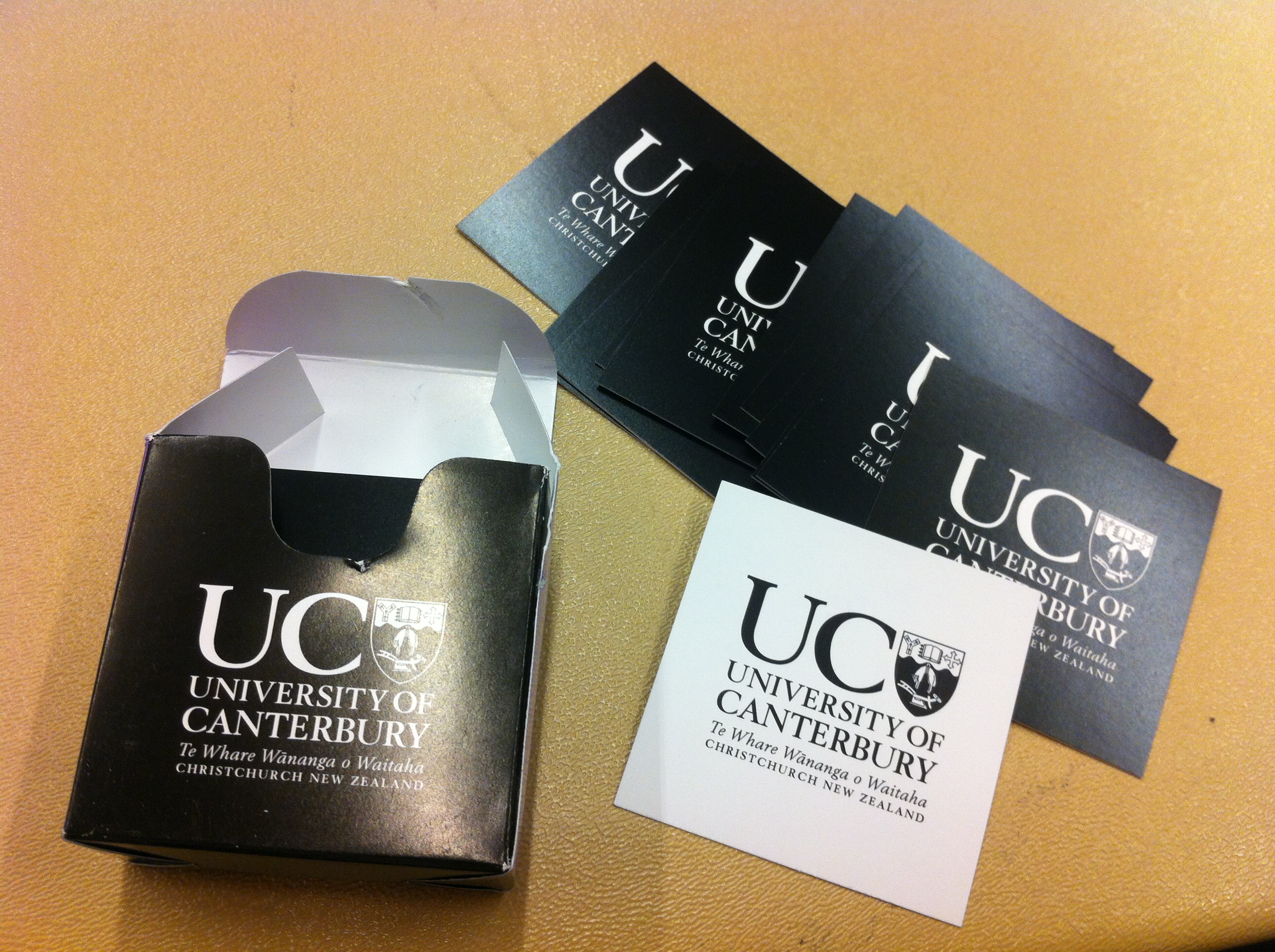
Here are some of the double-sided cards that can be used to show the 2D parity trick, where students are drawn into constructing the use and checking of parity with a simple 5×5 (or 9×9) grid of cards. Basically, once drawn up the student can flip any of the cards and the instructor can walk in from outside and legitimately pick the flipped card.
These are Tim’s, from the University of Canterbury, and they are both a handy tool for CS Unplugged and a cool way to give people a calling card of who gave you the talk.
Tim and Lynn were very honest about the degree of knowledge that could be conveyed to elementary school students – we’re not talking about getting all of the CS completely accurate but, in a setting where we can get lost in the cracks, the students would remember that CS people came to their school and it was interesting and engaging. (And, for me, the CS is pretty close. 🙂 )
The next picture is of a Pirate’s Treasure puzzle, where students have to pick A or B and, depending on what they choose, they hop to different islands. This introduces several key computing concepts: Finite State Automata,  Complexity but, for me, it also makes students think about exploring a space in order to be able to improve their decision and thinking processes.

The next picture is slightly curious and, rather than being an activity, it’s a diagram showing all the states that a VCR could end up in when you’re setting the clock – and the number of different pathways between them. Is it any wonder that these devices give us trouble? Building on what students had learned about the different islands (states) that you could catch a ship to (transition to) – it suddenly explains why human interface design is so incredibly important.
Overall, this was a great workshop. We had many participatory activities – I was the bit representing ‘4’ for a very happy 10 minutes – and an excellent display of robotics and how they could be used with students in camp activities. Also, somewhat counterintuitively, how robots could be used to teach CS Unplugged.
From a theoretical perspective, CS Unplugged is heavily constructivist. In informal terms, constructivists assert that the generation of knowledge and meaning in humans comes from an interaction between what they experience and the frameworks that they have in their head. In this case, CS Unplugged, the basic goal is to present something with which a student can interact, but in its affordance and its goals, it drives them towards forming the correct knowledge of an area of CS, even without us explaining anything. To give an example, the student in the picture had learned quick sort enough to demonstrate it, despite never being explicitly told what quick sort was. She’s 12. The numbers in the pictures show the number of steps for a student using a simple sorting technique, and the one that she used. Yes, she’s shaved over half the steps off.

We had many examples like this – students who learned to count in binary from observation and interaction, without anyone having to formally discuss powers of two or underlying mathematics.
To be honest, I can’t do a three-hour workshop justice in 700 words, and I’d like to get some sleep before tomorrow’s keynote. However, if you haven’t checked out the CS Unplugged website yet, then I strongly recommend it. If you get the chance to see these presenters at work, then I strongly suggest that, too.
Another Airport Land Speed Record: Can My Students Make Their Connections?
Posted: February 29, 2012 Filed under: Education, Opinion | Tags: curriculum, design, education, higher education, principles of design, reflection, universal principles of design, workload 2 CommentsAs I was running through San Francisco Airport last week, I was thinking many things. Among them were:
- Why am I running through yet another airport?
- How long will it be before my bad knee gives out? (Surgery last November)
- Is my wife still behind me?
- Do I ever do this to my students?

The reason that I was, once again, running through an airport was that delightfully evil concept – the legal connection. This is the minimum connection time estimated for your incoming and outgoing flights, through a given airport. When your travel organiser goes to make flights, they plug all of your destinations and restrictions into their computer, add some seriously manual machinations, and then receive a set of results that all meet the legal connection limits. These are connections that the airlines say are legitimate and, if you miss a flight, they will assist you in making another one. There’s only one problem with the so-called legal connection. Any variances to the schedules, caused by weather, delay in customs, late arrival of other planes, maintenance or unexpected construction in the airport, can make it hard to impossible to make your (so-called) legal connection. Hence, I run a lot in airports. I very rarely miss planes but I run past a lot of people who do – people who don’t know that there’s only one bus every 40 minutes between the international and domestic terminals. People who don’t know where the bus is or that it’s more reliable to catch a cab. People who don’t know which way to go and there isn’t enough signage to assist – Frankfurt Airport, with your sign that says ‘Terminal X this way” and a sign that points in both directions, I’m looking at you.
On this occasion, my knee held out and my wife WAS behind me, which is just as well as the hotel is booked in her name. But it really made me think about the layout and structure of STEM curricula. We set up pathways through our courses that are designed to develop knowledge and produce a graduate with the right combination of skill and knowledge. But what else do we assume? If we have provided bridging to bypass a pre-requisite, are we secretly assuming that the student will have aced the bridging or just passed the bridging? Do we introduce Boolean algebra in second year because “almost every student will have enrolled in Logic I” even though it’s not formally part of our course progression?
We can look at our programs as being legal connections, but with that comes all of the darker aspects that this entails. We’ve recently redesigned our curriculum, just in time for curriculum 2013, and part of this was removing some of the implicit assumptions and making them explicit. Providing pathways for the less-experienced. Matching expectations so that a Pass in a pre-req was sufficient for the next course – you didn’t need 60. We build giant pyramids of knowledge throughout our courses but, of course, a pyramid only works one way up and is far less stable if we don’t have all of the supports. If too many of these building blocks are assumed, and not explicit, then our legal connection is next to impossible to make. And we all know what the cost of that is.
I don’t want to run through anymore airports, and I strongly suspect that when we ask our students to do so, we lose a fair few of them on wrong turns or leave them stranded somewhere along the way, without ever making their destination.
Leibhardt: The Game Sensation That’s… not sweeping anywhere (yet!)
Posted: February 27, 2012 Filed under: Education | Tags: design, education, games, higher education, leibhardt, reflection, resources, teaching, teaching approaches, universal principles of design Leave a commentToday’s post is going to tie together my posts on design and, to illustrate it, I’m going to show you one of the game screens that my Summer Research Scholarship student produced. The game is called Leibhardt and it’s a way of teaching students about adding and removing items to commonly used data structures in Computer Science and programming. Here’s the picture of the playing space, as seen by one of the opponents:
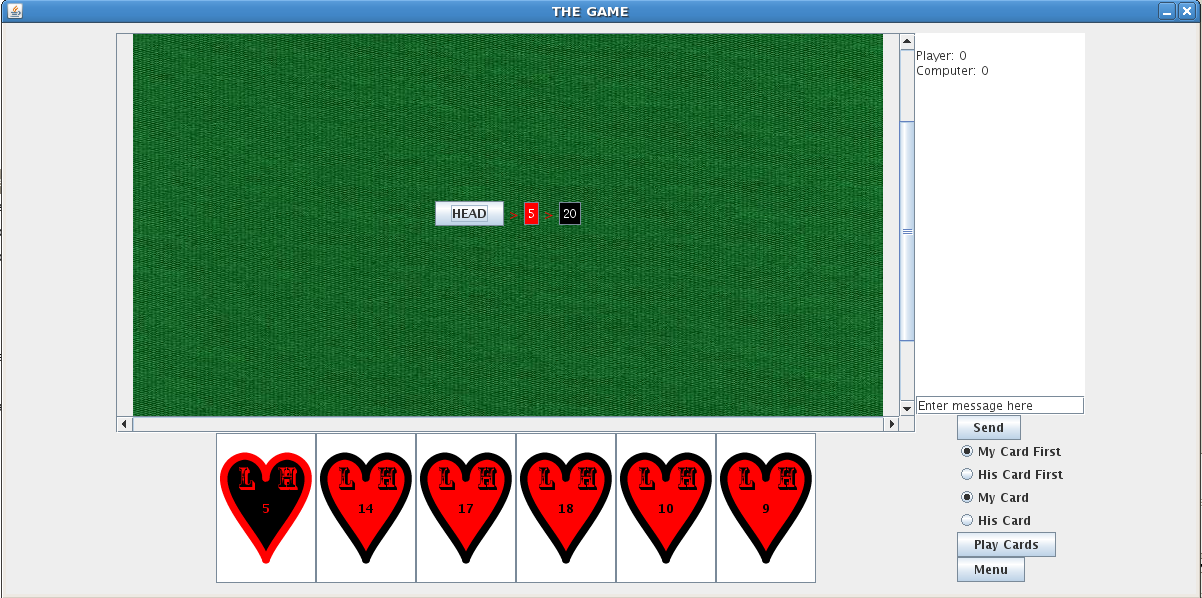
This is still a work in progress but let’s review the production and design process. I set the student a task: to find a way to teach a Computer Science concept using a game. I then gave him a stack of books, a central book as key text, and asked him to go away and come back with some ideas. He then presented a number of good ideas and I selected my prime candidate (which was also his). He then had to present a detailed plan with weekly goals. The project was only six weeks long so we had no time to waste. Over the next few weeks, we developed ideas, refined them and he turned it all into a game, with the assistance of another member of staff who I won’t uniquely identify but, thanks, Claudia!
Let’s look at this in terms of some of the principles I’ve been discussing. We decided to use a game because games are familiar to many people (functional consistency) and the appearance of card games is also something everyone understands (aesthetic consistency). Look at the image. Yes, the cards need some work but it’s got that green baize background we expect and, once the cards are finished, your fingers will naturally be drawn to the cards to select them for playing. I provided a set of nudges to keep the student on the right track, throughout the project, by providing appropriate and directed feedback, as well as controlling the books that he started with and keeping a fairly tight rein on the project until I was sure that he was on the right track. The game itself is full of nudge elements as well to keep the player going – this is a fairly addictive game. I’ve encouraged him to use GUI elements that can only be used in the right way (which is the affordance principle in action), as well as making sure that the system looks the same as every other Java-based game (external consistency). We’re still working on the look and feel of the structures themselves – they need to be consistent with what students have seen before, which is internal consistency in terms of the course context.
Finally, it’s possible for people to easily interrupt and resume games, for me to monitor activity so I can tell if people are undertaking assigned work on playing this game and there also degrees of difficulty involved. This gives us fairly fine-grained control over the performance load of the activity, and greatly reduces the kinematic and cognitive load of playing. Students who are new can choose to, or be expected to, expend less effort to achieve a good result. Expert students can crank up the difficulty and make the task harder. Any student can play it easily, stop playing and then pick it up again later.
I must point out that, while I’ve been heavily involved in the design and mentoring process, what I’ve mostly been doing is guiding a good student and helping him to make good decisions. I’m happy with my contribution but a lot of what I’ve been doing has been helping to organise information for decision making purposes – effectively providing guidance on using the five hat racks.
I hope that this helps you to understand that the design I’m talking about is not choosing Powerpoint templates, although that can be part of it, but is more of a deep-seated commitment to thinking about what we’re doing in order to produce the best work possible. We’re still working on the game and, with any luck we’ll have some versions available for teachers of Data Structures relatively soon.
Moving Down the Road Trying to Lighten My Load: Performance Load (and taking it easy)
Posted: February 26, 2012 Filed under: Education | Tags: design, education, higher education, resources, teaching, teaching approaches, universal principles of design, workload Leave a commentThis is one of the posts of design that, I hope, will help to establish that good design is not just about images, Photoshop and Illustrator! I’m really enjoying the book that all of this is coming from (for those of you who are new to this blog, that’s Universal Principles of Design, Lidwell et al, Revised, 2010). I’ve not had the vocabulary to express a lot of what I’ve learned and that, of course, makes it very hard to communicate. This blogging process has really helped me to tie everything together – but this one is particularly important because it explains why we have to make the effort to manage the load that our students encounter in our courses.
Whenever you’re trying to achieve a goal, you’re going to have to expend effort – in terms of mental and physical activity. When the load gets high, the time it takes to get the job done increases but, regrettably, it’s not just the time it takes that increases – the possibility of error increases and the chances of success starts to drop away. If the load is manageable, then the time reduces, the possibility of error drops and you increase the chance of success. This is the performance load of a task and I suspect that this is one of the key problems in the preparation of a lot of teaching materials and support. There has been an attitude that some of what we teach can’t just be offered – that effort has to expended for the students to value it, or to show that they’re ready for the material. Without going in to too much commentary on this, because I think it’s an attitude that is often used as an excuse rather than a real philosophy, if this is the attitude, that there is an effort barrier, then this has to very carefully managed or the performance load is going to cause an unnecessarily high level of failure.
How easy was it to read that last sentence? What if I’d said “I’m not sure I agree with this, but if there is an effort barrier, we must manage it carefully. Performance load can increase to the point where failure may be inevitable.” Is that easier?
What does load look like for tasks? If it’s moving things around then our muscles come into play, our ability to physically interact with our environment. If it’s thinking then we have to use our cognitive abilities to identify and complete the task. Fundamentally, there are two type of load:
- Kinematic load is a measure of the physical activity involved – strength, number of steps, repetition of action, amount of force involved – to accomplish something. Not many teaching activities will have a strength-related load component (which is good, as it means fewer accessibility concerns) but any time that we introduce an activity that requires physical steps, we’ll reduce the kinematic load if we cut that number of steps down as far as possible. Allowing students to submit their assignments electronically reduces the requirement to print the work, staple it, and physically attend a submission place to submit it. Think about how many things could go wrong in that chain – everything from paper out in the printer, to a water leak destroying all of the paperwork once it’s submitted.
- Cognitive load is how much thinking we’re going to have to do to achieve our goal. How much are you expecting someone to remember? Most people can only hold a few things in their heads at one point – fighting this is pushing water uphill. Keeping your concepts clear and your explanations simple can really help with this. Keeping your presentations simple stops people having to filter out things that aren’t relevant – use consistency in your materials and, if you’re trying to keep everything accessible, consider producing separate sets of material so that information that is useful to one group isn’t considered ‘clutter’ to another. (If you want a good example, look at subtitled movies. One subtitle is okay, but I’ve seen movies subtitled in Chinese characters, English and Tamil simultaneously. It leaves about half the screen for the content and makes the film hard to watch!)
However you reduce performance load, you have to remember that there will be a minimum load – assuming that you don’t change the requirements of the task. This can be easy to get wrong. Abuse of load reduction can be prevalent in students. If you consider plagiarism, this used to much harder than it is now that we have networked computers and the Internet. The cognitive load reduction of copying was still quite high, but it required an equivalent amount of kinematic load because of the requirement to rewrite the work (or type it in again from a print-out). So, just being aware of load reduction is only part of the battle – how we reduce performance load has to be considered while still understanding that we can’t reduce the requirements of the task itself.
I think this is what people are always suspicious of when we talk about design – that somehow considering design will demean, cheapen or over-simplify the task. I agree that this is something we should think about, but I certainly don’t think that it’s inevitable.
Yes, you can! (Sorry, Mr President)
Posted: February 23, 2012 Filed under: Education, Opinion | Tags: design, education, higher education, reflection, teaching, teaching approaches, universal principles of design Leave a commentI put in a long post yesterday and today’s reward is that this post is short. I want to remind you all that you don’t have to be some sort of amazing educational designer to bring good design into your work. When most people think ‘design’ they think of graphic design, high-concept art, artistic ability and lots of words that aren’t in their standard vocabulary. I hope that, over the last three days, you’ve realised that we’re all using good design principles all the time – everywhere – and that’s it a matter of being aware of what we’re doing, so we can re-use those principles elsewhere. I’m certainly no expert but I can explain things fairly well and I like to bring new vocabularies to new audiences. I have a secret theory that most of the problems we have stem from people not being able to communicate and express themselves – maybe not all problems, but certainly a lot of those that lead to disengagement and frustration among our students.
One of the aspects of President Obama’s campaign that was both praised and ridiculed, depending upon which side of politics you found yourself, was the use of simple messages and clear design to make it easy for people to identify the campaign and associate with it. The imagery is simple and powerful. The logo includes references to the President’s initial (O), patriotic symbols and sunrise – a new beginning. That kind of simplicity and power takes some serious work and that’s where professional designers make their money. (I’ve deliberately not linked or included the logo here. I’m aware of the political divide in the US and don’t want people to think I’m advocating one political party or another – the title of this post is probably enough that I’ll get some interesting comments. You can easily find the logo for yourself by searching for Obama logo.)
But that’s not what we’re doing. We’re just trying to make our teaching more accessible, our materials easier to use and our students more knowledgable. By considering things we may not have considered, we can reduce problems. We can make our lecture notes available in ways we hadn’t thought of before. We can make a difference that assists our students in engaging with us and what we’re trying to teach them.
Electing a president? That’s probably beyond you. Looking at some of the things that I’ve been talking about and possibly helping a student learn from you? Yes, you can!
Give your students a nudge (and the Woman in Red effect)
Posted: February 22, 2012 Filed under: Education | Tags: design, education, higher education, principles of design, teaching, teaching approaches, universal principles of design Leave a commentThe Woman in Red effect is a strange one. Woman in red appear more attractive, men in red appear more dominant. (This is a gross simplification and doesn’t take into account gender orientation.) I’ll talk about this more later on in this post but, first, I’d like to talk about encouraging people to adopt behaviour that will allow them to learn better and engage more with your teaching.


One of the most common problems I face is getting my students to engage with my courses, and the materials I’ve spent time preparing. I’m not teaching at an Army base so I can’t order people to attend my lectures or read the book, and I can’t offer every student $1000 if they demonstrate sufficient knowledge. I have to try and get them to adopt the ‘correct’ behaviour without the ability to restrict their options to force adoption or changing the incentives that are in play.
This is where nudging can be very useful. Nudging is a method for making the behavioural changes that you want, in a predictable way, without overly constraining people or resorting to outright bribery. We’re all exposed to nudging on a day-to-day basis but it’s not always obvious – which, to be honest, is good. There are always going to be certain students who actively resist any form on behavioural modification or suggestion that their adaptation can be predicted in any way. We’re not trying to brainwash people – we’re trying to gently encourage them onto a path where they will get more out of our courses.
Here are some useful nudging techniques. Once again, the primary source here is “Universal Principles of Design”, Lidwell et al, Revised, 2010.
- Use sensible defaults. If you have a default option that will do the most good for your participants, then they will have to expend more effort to do themselves less good. Do you have an automated electronic forum enrolment system? Are all students added to it automatically as they enrol? Once on, are they automatically subscribed to all key news feeds? Can they cut themselves off the feed easily (probably undesirable)? Opt-in and opt-out can be important concepts here.
- Provide good feedback. Let people know when the’ve done something with perceptible and immediate feedback. “Thank you for your submission.” “Your question has been sent.” “That’s a good question, let’s look at the answer.” If people haven’t done something, then provide them with a visible indicator that it’s not done. A colleague told me about a countdown clock that they put on the course web page showing the time remaining until hand-in closed. Students handed in at a much higher rate – yes, in feedback they said that they didn’t like it but they noticed it! A student hasn’t handed in any drafts of their work for this assignment and there are still 12 hours left? Why not send them a reminder?
- Provide properly-aligned incentives. What do you want students to do? Hand in early or hand in their best work? If you give a bonus for handing in early, but don’t tie it to quality of work, then all you do is encourage hastiness. If you only accept ‘early work’ if it meets quality and acceptance criteria, then you are encouraging students to start and finish their work earlier – bringing the point of understanding further forward. Similarly, rewarding attendance is a slippery slope to sleeping students. Rewarding participation subsumes an attendance requirement and reduces the sleeping cohort. (We hope!)
- Simplify the choices people have to make by structuring them well. Complex decision processes take time to navigate and, at each stage, there are more places for things to go wrong. If students have choices in your course, is it easy for them to choose or is it a matter of “navigate three web-pages, make an appointment, follow-up e-mail and, at each stage, make a good decision”? Sometimes processes do have to be this complex but, particularly for good teaching materials, if you make it easy to work out what your choices are and which one to take – students will make better choices. Even if things do need to be complex, laying them out clearly and making the process easier is going to help everyone.
- Provide visible goals. People like to measure progress. If you have visible goals, and a clear indication of progress, then your students can work out how far they’ve come and how they’re tracking against their own performance metrics. Unless students are totally disengaged, every student will have a meter in their head to tell them how well they’re doing. The ‘more than 50% is a waste’ crowd are tracking how little work they can do in Assignment 3 to still scrape a pass. The ‘99% is 1 mark lost’ crowd are carefully watching to see if they’re holding to their mission. If you provide measures and goals that the students can tie in to, then you may be able to combine this with a nudge that encourages good behaviour.
Now, some people think of this as molly-coddling or pandering. Urm, no. If these students were independent knowledge framework assemblers and fully mature before they came to us then college would take about 3 months as we handed over the books, some tests and told them to come back at the end of the year. The majority of our students need our help to nudge them in the right direction and to keep them on the right track. That way, when they finish, they are mature and independent – but that’s the culmination of a long and complex process.
Now, I haven’t forgotten about the Woman in Red effect. It’s also called, with less gender orientation, “The Red Effect” and you see it in nature as well, with those monkeys with comically exaggerated colouring and protrusion of their sexual organs. I didn’t actually want to focus on this – it’s interesting but it’s not really useful as a teaching technique. It is, however, a nudge because people will see the title and there are a group of people who will click on this blog because they want to read about the effect, or maybe they’re fans of the movie, or the Chris de Burgh song (which is actually Lady in Red). Some people will click through to this because I primed them on my Facebook page with a very brief discussion of the effect and they might want to read more. I was able to legimately use a picture of a woman in a red dress, which will also nudge some people to read this article when they otherwise wouldn’t. Of course, being me, I used Gauguin because it’s an image of a woman in red that has no sexual or culturally inappropriate overtones. (Believe me when I tell you that searching for ‘images woman in red’ gets you a lot of search hits, only some of which you can use.)
Many of you are here anyway and have not been nudged. Except that, if you’ve read this far, I’ve already established an incentive mechanism that says “reading 1000 words of Nick won’t kill you”. I’ve set the feed up so you don’t have to take any action to see that I’ve posted. You’re near the end of the post so it’s not that much further to go and I am about to talk about the Red Effect some more – so please stick around. We’re nearly done.
So, because you’ve read this far, here’s some more information on the Red Effect. In mandrill species, the red colouring of the snout indicates testosterone levels – an attractive trait in a monkey mate. There is a cultural aspect to the effect in that the red clothing worn should be culturally appropriate – a man wearing a red dress and lipstick is potentially not going to be seen as dominant but a man wearing a red tie probably will be. Or is sending a message that he wishes to be seen to be.
Ultimately, my very lightweight discussion ignores the variety of sexual orientations and relationships around. I don’t have firm data to hand on how this plays out in other combinations – but I’m certainly now looking because it interests me! If I wear red, will my wife pay up to twice as much when she takes me out to dinner?
Now something that surprised me is that, in the 2004 Olympics, where red and blue outfits were assigned randomly in boxing, Greco-roman wrestling and tae kwan do, the red outfits won significantly more often. This is cross-gender – dominance in red appears to transcend boundaries. Similar effects occur in English football – red teams win more often.
What’s going on here? Is it that their opponents are being intimidated? Is the referee more likely to favour the red? I would be interested to see what happens on the basketball court, where aggressive behaviour will attract fouls. The next time that you think that your team is getting too many fouls – what colour are they wearing? Are they still winning?
Articles that might be worth reading include “Red Enhances Human Performance in Contests”, Hill and Barton, Nature, May 19, 2005. Hill also produced “Red shirt colour is associated with long-term team success in English Football” (Attrill, Gresty, Hill et al), Journal of Sports Sciences, April 2008, 26(6). If anyone has any good articles on the effect outside of hetero-normative sources, please put them in the comments!
Access All Areas: Getting Your Knowledge Into Everyone’s Head
Posted: February 21, 2012 Filed under: Education | Tags: design, education, higher education, principles of design, resources, teaching, teaching approaches, universal principles of design 5 CommentsThis is another design post, as that’s this week’s (loose) theme. Again, the reference is “Universal Principles of Design”, Lidwell et al, Revised edition, 2010.
If you’ve used a modern lift (you might call it an elevator) recently, you may have noticed that lifts now have larger buttons than they used to, have Braille on the buttons, provide audible feedback when you press buttons and, on a lot of occasions, as they move – and they’re bigger, with wider doors.
What’s happened? Legislation across many states and countries now require that any public environments be as widely accessible as possible – that disabled and able-bodied alike can use the lift, that people with prams can get in, that those who are larger don’t have a problem.
If you’ve looked at older lifts, in converted European hotels or pensiones, you’ll find tiny little boxes, with hard to read or unmarked buttons, zero feedback and an experience that is akin to travelling in a shoebox on a string. These were barely usable for the able-bodied and, despite the additional space consumed and the extra cost involved, it appears that the accessible elevator/lift is now with us for the foreseeable future.
When we consider accessibility, we think about how can we design our materials and teaching spaces so that the greatest number of people can use them – without any additional modification. This is the secret of the new lifts. A very large number of accessibility options are now standard in lifts so that they can be installed and used without further modification. Now this is certainly not a disabled/able-bodied divide because many of our teaching spaces are hard to work in at the best of times! As we’ll see, you might be surprised how often these issues can affect any or all of your students.
There are four fundamental principles of accessibility, which I’ll touch on here, and draw into teaching examples.
- Perceptibility: Everyone can perceive your content or design, regardless of their abilities. For teaching purposes, this means having redundant delivery methods such as ALT tags on HTML images, audio recordings for visually impaired students, full text version for text-to-speech synthesis and so on. This, to me, also includes the colour blindness checks that I’ve mentioned before. From a delivery point of view, can everyone in your lecture theatre see what you’re doing?
- Operability: Everyone can use what you’ve produced. In the knowledge area, perception and operation are closely aligned, but think about things like scratch-off cards. Do you have an alternative for someone without fine motor control – or a broken wrist? Do you require your class to rearrange themselves for group work? How will that work with a wheelchair or crutches? I once ran an exercise that required students to flip coins – which turned out to be really, really dumb on my part. This was a set of repetitive actions, with a high probability of dropping the coin. This was almost inoperable for people with no issues because of the confined space in the lecture theatre. (Another teaching application is the open book exam – have you given the students enough desk space to open books?)
- Simplicity: Make it easy to understand and use what you’ve done, whether students have seen either your work or an example of this type of work before. If you’re using a commonly used format – think carefully before you make subtle changes to it or people will get confused with the new complexity. Be clear, consistent and remove as much unnecessary complexity as possible. Don’t throw everything on to the screen at once but consider the use of staged delivery to provide simple blocks that go together to form a more complex whole.
- Forgiveness: Reduce the impact if students do something wrong while working with your material and, from a design perspective, put things together so that it’s hard to go wrong in the first place. Designing your materials so that there is only one obvious way to use them (using good affordances) will mean that students will find it harder to go wrong in the first place. Being able to recover easily reduces the impact of accidental error – which can negatively reinforce behaviour and encourage students to disengage. Scratch-off cards have simple use and easily recovered error conditions, depending upon whether they give instant feedback or not. These can be high affordance/high forgiveness materials and, because of that, very, very useful.
I’ve given you a number of examples but I want to give you an example of bad accessibility, from a recent hotel stay. I went to grab the shampoo and conditioner mini-bottles to put into the shower and I realised that the text on the front was identical for both bottles. I wasn’t sure which was which. I turned the bottles around and, in type so small that I had to squint, I could just make out the text. Turning the bottles around, I had noticed that there was Braille on the bottles – which seemed a bit odd, given that they’d done such bad design on the back. I realised that the Braille was the same on both bottles and all it said was the brand name.
This is, possibly, one of the most irritating things they could have done. Assume that you’re blind. You’ve made your way to the bathroom, finally found the sink, located the bottles, picked them up and (hooray!) they have Braille. Annnnnd, it’s completely useless. You ask your sighted companion to help you but he or she are long-sighted. Together, angrily, you mix all the bottles up and make Shamditioner. More seriously, this fails Perceptibility (you can’t see which one is which), Operability (the bottles were hard to open as it happened) and Forgiveness (as it was easy to use the wrong product). I’ll give it a pass on Simplicity, only because you don’t really need instructions for Shampoo – putting it in a bottle is sufficiently simple. I may be being generous.
I’m working on a checklist for myself, because I try and consider all this but doing it from a list this long isn’t actually following the rules themselves! When I get the checklist finished, I’ll post it up on the blog.
Don’t Pull on a Door Marked Push! (Affordance is not the same as affordable!)
Posted: February 20, 2012 Filed under: Education | Tags: design, education, higher education, resources, teaching approaches 1 CommentIf you came up to a door that had a handle on it, what would you do, if there were no sign on it?
You’d pull on the handle. Of course you would! It’s only when there’s confusion about doors, we have to label them push or pull. (Okay, some of you are thinking ‘aha, I’d look at the hinges’ and, indeed, some of you would – but most of us would just pull on that handle.)
This is affordance, where “the physical characteristics of an object or environment influence its function” (Universal Principles of Design; Lidwell, Holden and Butler; Revised edition, 2010)
See a door handle? Pull on it. See a door plate – you’ll push it. Ever wonder why Lego blocks don’t come with instructions? Because they only afford a certain set of composition actions – the design of the shape tells you how to use it.
By taking advantage of this property, we can reduce the amount of instruction that we have to give. If the purpose of the object is assisted by its construction and design, in terms of the user, then we will immediately achieve better and more effective use when someone does come to use it. We can even borrow the affordance of an object and use it somewhere else, building on our natural disposition to use it in a certain way. Ever wondered why graphical user interfaces (GUIs – the way that you interact with modern computers and devices) have button images on them? People know how to use real buttons – they stab it with a finger – and this, transplanted to the GUI domain, allows the user to reuse this familiar knowledge and turns what should be something complex (I’d like you to engage any of the pixels in the range (200,100)-(250,15) with your finger and apply light pressure) into ‘stab!’ without having to write one word of explanation.
From a teaching perspective, when we do develop materials to support our teaching, we implicitly use affordance all the time. Those ‘fill in the blanks’ spots we leave? There’s only one place to write and that place has a context inside the knowledge of the current sentence. Have you ever wondered why government forms have ‘do not write in this space’ or ‘for official use only’ in spaces? It’s because when we see spaces – we want to write in them. That’s what spaces are for? If you leave space around your printed lecture notes, you are saying “Please write on me!”
For me, this is why those ‘scratch-off the silver bit’ cards are so easy to use. You want to scratch it off – you’re (pardon the pun) itching to do so. If your rubric simply explains that you have to read the question and scratch off only one, that’s it. No complicated ‘COMPLETELY FILL THE CIRCLE WITH 2B PENCIL’ instructions or ‘tear off this strip after you’ve written down an answer’ – and no handwriting problems.
When we do try to take advantage of affordance, we have to make sure that the students we’re teaching are going to understand what we mean. If we’re using borrowed affordance, like the GUI buttons, we have to make sure that they have the original knowledge. The best way to test that you have the basics right is to give it to a colleague, without instructions, and watch what they do. Your own interpretation of your materials is biassed by your cognition. You know what you’re supposed to do – rather than listening to the material to see what it wants you to do. When your colleague picks up your quiz, looks at it, and starts joining dots on your scatter plot – it may be a sign of lack of coffee or no sleep, or it may be a sign that this is what your work is screaming at people to do.
I’d love to hear from people if they have examples of work that they think really exemplifies this.

 Nick Falkner